Hello,
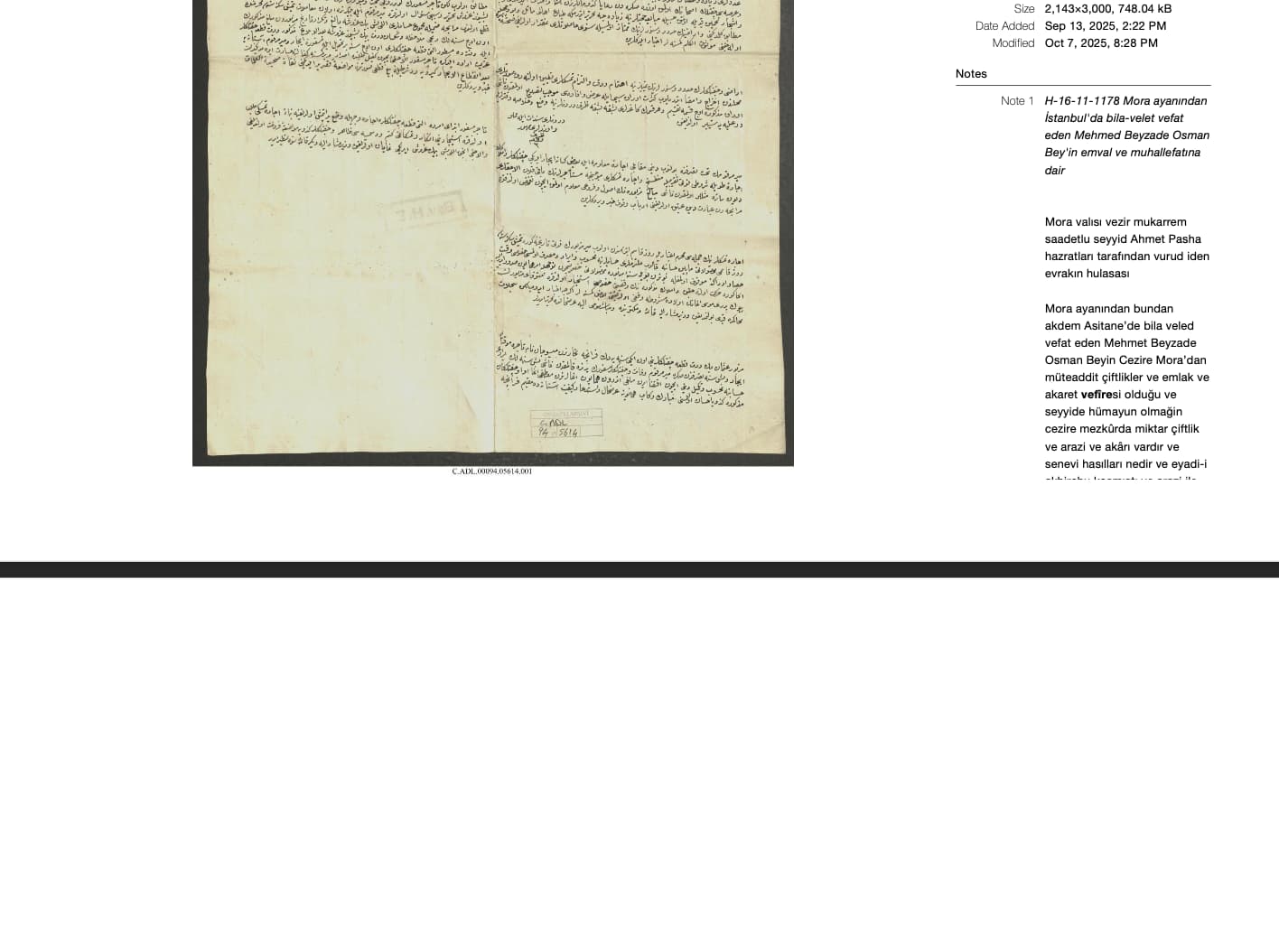
I am having an issue with exporting pdfs (in portrait or landscape mode). When I do so, notes go missing or are cut at the edge of the first pdf page (see screenshot attached). Exporting in either mode produces the same issue. Also, the second page of the PDF is coming out blank.
Please advise. Thanks!
Thanks for reporting! We’ve already fixed the issue with the extra blank page for the upcoming release.
The print and PDF export currently use the ‘one photo per page’ mode. This forces the pages to correspond exactly to the number of photos and that’s why long notes may get cut off. To always include all notes, you can set the print option ‘Allow content to take up more than one page’ in Tropy’s preferences window. This way you may get additional pages per photo, depending on the content.
1 Like